

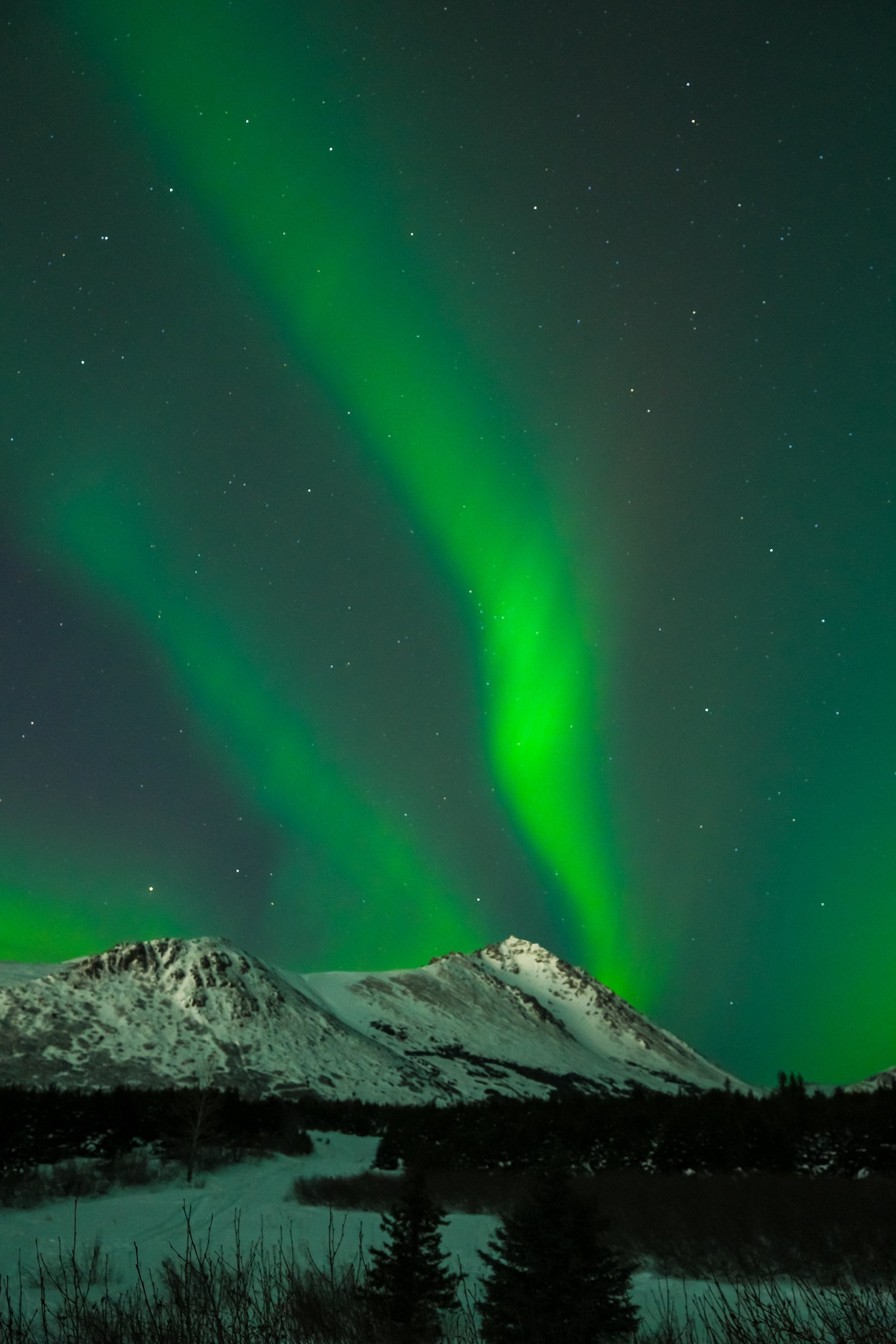
Every guest who joins my Alaska aurora tour asks the same question on the first night: "What settings should I use?" I've answered this question over a hundred times, standing in the dark at Eklutna Lake or Hatcher Pass, hands cold, sky green above us. This guide is that answer — written down, so you can study it before you arrive.
You don't need to be a photographer to use this guide. You need a camera with manual mode, a wide-angle lens, and a tripod. Everything else is explained below.
The Core Problem with Aurora Photography
Your camera's automatic mode is useless for aurora photography. Auto mode is designed for average, well-lit scenes. The aurora is not average. It's a dim, moving light source in an almost completely dark sky. Auto mode will either massively underexpose the shot or produce a blurry mess trying to compensate.
You need manual control over three settings: ISO, shutter speed, and aperture. Once you understand what each one does, the rest follows naturally.
The Three Settings — Simply Explained
Aperture — How Wide the Lens Opens
Aperture controls how much light enters the lens. It's expressed as an f-number — confusingly, lower numbers mean wider openings and more light.
For aurora photography: use the lowest f-number your lens allows.
If your lens goes to f/2.8, use f/2.8. If it goes to f/1.8, use f/1.8. If your widest option is f/4, use f/4 — you'll compensate with ISO and shutter speed.
The wider you open the aperture, the more light hits the sensor, the brighter and sharper your aurora will be.
Shutter Speed — How Long the Sensor Stays Open
Shutter speed controls how long your camera collects light. For aurora photography, you need the shutter open for several seconds — long enough to gather enough light from the dark sky.
Starting point: 10–15 seconds.
Why not longer? Because the aurora moves. A 30-second exposure of a fast-moving aurora produces a blurry smear rather than crisp curtains and rays. Shorter exposures (5–8 seconds) freeze the aurora's movement but require higher ISO. Longer exposures (20–25 seconds) capture more light but can blur fast aurora.
The aurora's speed changes throughout the night. Start at 10 seconds and adjust based on how active the display is.
ISO — The Sensor's Sensitivity to Light
ISO controls how sensitive your camera sensor is to the light it receives. Higher ISO = more sensitivity = brighter image. But higher ISO also introduces digital noise — the grainy texture that degrades image quality.
Starting point: ISO 1600–3200.
Modern cameras (anything made after roughly 2015) handle ISO 3200 remarkably well. Don't be afraid of it. If your images are underexposed at ISO 1600, go to 3200. If they're still dark, try ISO 6400. You can always reduce noise in post-processing — you can't recover a completely black frame.
The Starter Settings — Use These First
When you arrive at your aurora location and the sky is active, start here:
- Mode: Manual (M)
- Aperture: f/2.8 (or your lens's widest setting)
- Shutter speed: 10 seconds
- ISO: 1600
- White balance: 3500K–4000K (or "Tungsten" preset)
- Focus: Manual, set to infinity (see below)
- Image format: RAW if your camera supports it
- Stabilization: OFF (you're on a tripod)
- Timer or remote: 2-second timer to avoid camera shake when pressing the shutter
Take one shot. Review it. Is it too dark? Increase ISO to 3200. Still dark? Try 15 seconds. Too bright and blown out? Lower ISO to 800 or shorten to 6–8 seconds. This process takes 2–3 test shots and 5 minutes. Then you're dialed in for the rest of the night.
The Most Common Mistake: Focus
More aurora photos are ruined by incorrect focus than by any other single mistake. In the dark, autofocus doesn't work reliably — the camera can't find a contrast edge to lock onto. You must focus manually.
How to set manual focus for aurora:
- Switch your lens to Manual Focus (MF) mode — there's a switch on the lens barrel
- Point your camera at the brightest star you can find
- Turn on your camera's live view and zoom in digitally to that star
- Slowly rotate the focus ring until the star appears as the sharpest, smallest point of light
- Stop. Do not touch the focus ring again for the rest of the night
Alternatively: many lenses have an infinity mark (∞) on the focus ring. Set it there as a starting point, but verify with a star — the true infinity focus point varies between lenses and isn't always exactly at the ∞ mark.
Once your focus is set, use your camera's 2-second self-timer for every shot so you don't introduce shake by pressing the shutter button.
Adjusting for Different Aurora Conditions
Slow, Steady Aurora (Faint Glow or Soft Bands)
This is the most common aurora condition — a steady green glow or slow-moving bands across the northern sky.
- Shutter: 15–20 seconds
- ISO: 1600–3200
- Aperture: widest available
Active Aurora (Moving Curtains, Some Color)
The aurora is moving noticeably. You can watch it shift in real time.
- Shutter: 8–12 seconds
- ISO: 3200
- Aperture: widest available
Fast, Dancing Aurora (Corona, Rapid Movement)
The aurora is extremely active — exploding, pulsing, changing shape every few seconds. This is rare and extraordinary. Shorter exposures preserve the structure.
- Shutter: 2–5 seconds
- ISO: 6400–12800
- Aperture: widest available
The noise at ISO 12800 is worth it. A sharp, detailed fast aurora at high ISO is better than a blurry smear at low ISO.
Phone Photography: What's Actually Possible
Modern smartphones — particularly the iPhone 15 Pro, Google Pixel 8, and Samsung Galaxy S24 — have dedicated night modes that can capture the aurora. The results won't match a DSLR or mirrorless camera, but they're genuinely impressive compared to phones from even three years ago.
For phone aurora photography:
- Use a small tripod or prop the phone completely still
- Enable Night Mode (it usually activates automatically in dark conditions)
- Use your phone's Pro or Manual mode if available — set ISO as high as possible and exposure to 10–15 seconds
- Avoid touching the phone during the exposure
- iPhone users: the newer models have a specific "Astrophotography" mode in Night Mode — use it
On my tours, I help every guest — including phone-only photographers — get their best possible shots. The camera matters less than the location, the timing, and knowing what to do when the sky opens up.
Composition: Don't Forget the Foreground
The aurora is the subject, but a great aurora photograph has a foreground too. A mountain silhouette. A frozen lake reflecting the green light. A lone spruce tree against the glowing sky. These elements transform a snapshot into a photograph.
When you arrive at your aurora location, spend a few minutes before it gets dark (or use a headlamp carefully) to identify strong foreground elements. Frozen water surfaces are particularly powerful — the aurora reflection effectively doubles your sky.
Bringing These Settings Into the Field
Reading about aurora photography is one thing. Using these settings in the dark, in -15°C temperatures, while the sky is exploding green above you — that's another experience entirely. Cold affects your fingers, your battery, and your ability to think clearly through the settings.
On my Alaska Northern Lights Tour, I stand next to every guest and walk them through setup on the first night. By the second night, they're doing it themselves. By the third night, they're coaching each other.
You don't need to be a photographer to come home with extraordinary aurora images. You need the right settings, the right location, and someone who knows where to be when the sky decides to perform.
— Hasan Akbas, Aurora Photographer · Anchorage, Alaska
Alaska Northern Lights Tour
Stop researching. Start chasing.
4 days. 3 consecutive aurora nights. Matanuska Glacier, dog sledding, and a National Geographic photographer who knows exactly where to position you — and when.
View the Alaska Northern Lights Tour →Starting from $4,999 · Maximum 6 guests · Fall 2026 & Winter 2027


